 Bugzio
Annotated screenshot
Pen, rectangle, arrow, emoji and blur. The blur pixelates the area first and only then softens it, so even small text — personal data, prices — is no longer readable.
Feature
The reporter presses a button on the site, circles the problem and writes one sentence. Everything else — screenshot, console, failed requests, browser, screen size and steps — the widget attaches on its own.
No payment card · Unlimited reporters · Interface in 6 languages
Why it matters
Before anyone can fix it, somebody has to establish which page, which browser and which step. That is what the emails are for.
The result: one record that answers the questions you would otherwise ask by email.
What you get
Everything below is attached automatically — the reporter needs to know nothing about developer tools.
Pen, rectangle, arrow, emoji and blur. The blur pixelates the area first and only then softens it, so even small text — personal data, prices — is no longer readable.
console.log, warn and error, plus uncaught exceptions with their stack trace. The hooks go in the moment the script loads, so the report also contains errors that happened before the widget was opened.
fetch and XMLHttpRequest with method, address, status code and duration. Only the failures are kept — status 400 and above, or a connection error — so the list stays readable.
Clicks with the element, its text and its tag, plus URL changes, ordered oldest to newest. It is a ready-made answer to “what did you do before that”.
Browser and version, operating system and version, screen resolution, window size, orientation, colour depth and languages — read from the browser instead of asked of the reporter.
In the widget builder you can add your own fields — environment, client, order number — and map them to ClickUp custom fields.
Clients and testers need no account and take up no paid panel seats. The widget speaks six languages and is style-isolated, so it does not inherit your site’s styling.
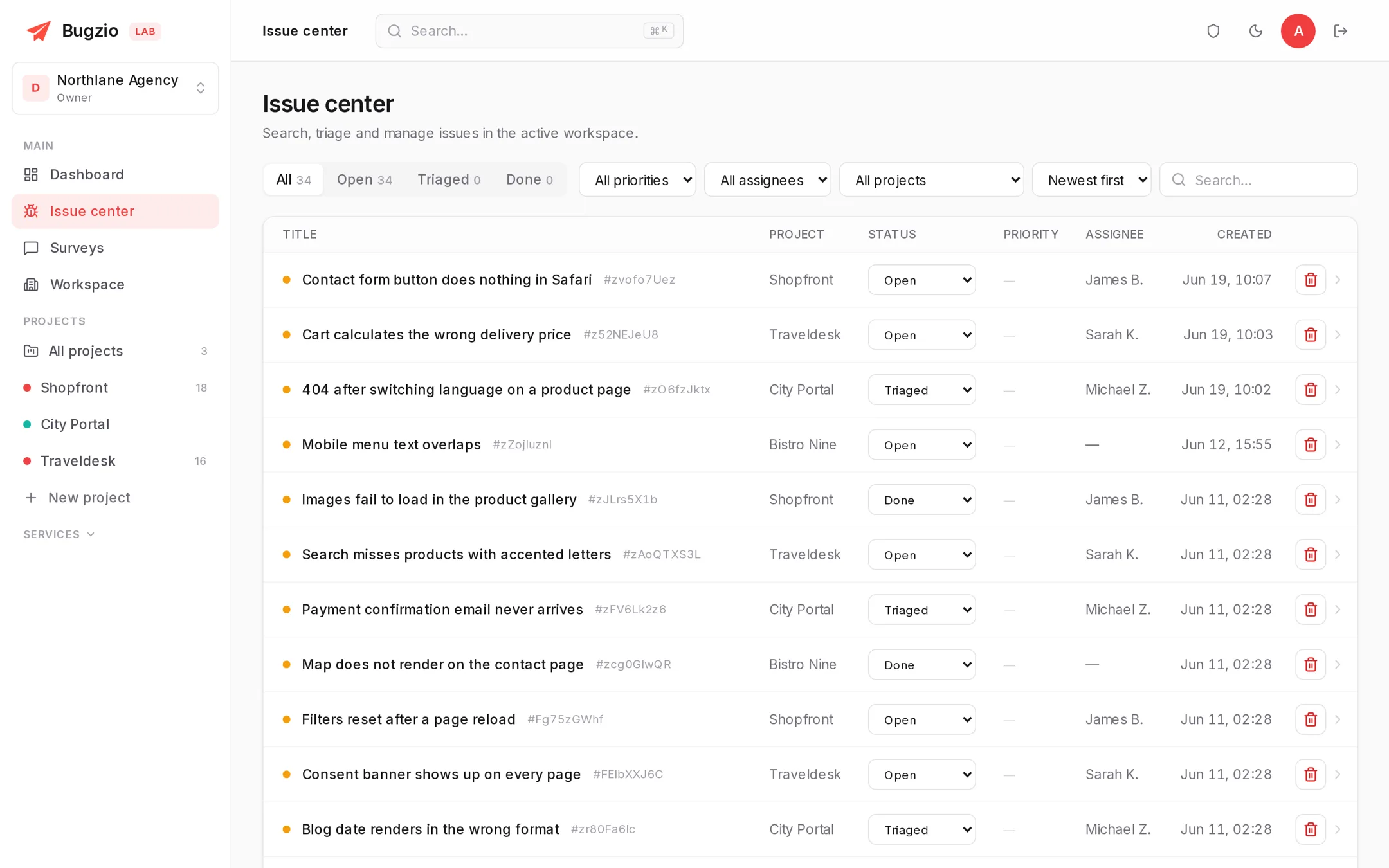
The list with statuses on the left, on the right all the context that arrived with the report.
How it works
Setup takes five minutes and needs no code changes at all if you are on WordPress.
One <script> tag before </body>, or the free WordPress plugin. The project token comes from the panel.
Circles the problem, writes a sentence, hits “Send”. No account required.
With the whole context, a status and an assignee. Sync it to ClickUp or push it to a webhook if you need to.
Related features
Each of these adds a layer to the same record, so the panel keeps one report per bug, not one per feature.
A DOM recording, screen video with voice and a step timeline — exactly what happened before the bug.
Turns the captured evidence into a title, reproduction steps, a priority and a category.
14 services that check a site’s uptime, speed, security and compliance on their own.
Install the widget on one site and see what a first report with the full context looks like.
No payment card · Unlimited reporters · Interface in 6 languages